Meet Owl
School, clubs, things to bring, payments and chores, for every child. Forward the school emails or paste a message from the team chat, and Owl adds what matters. Every evening, it tells you what tomorrow needs.
Free to start · No card needed · Coming to iPhone & Android
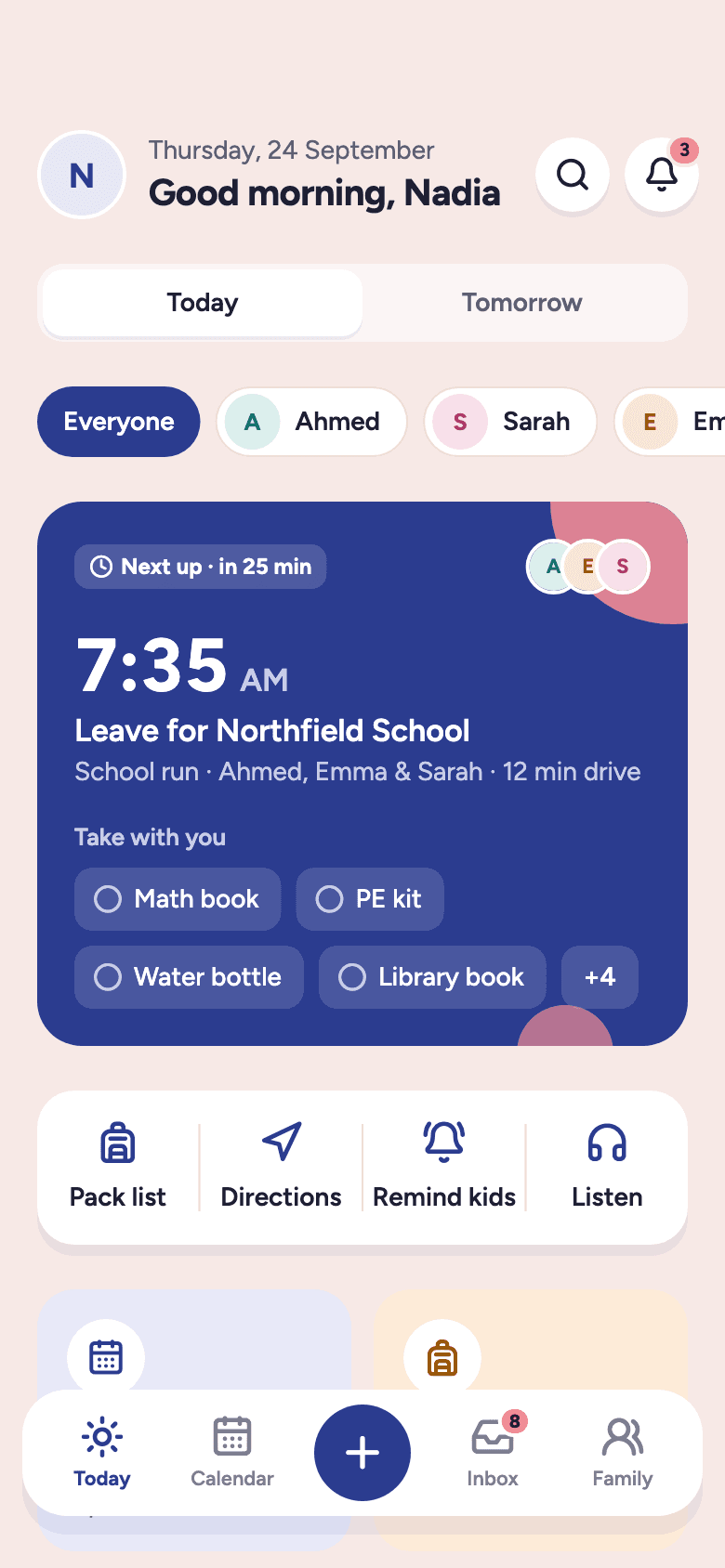
Leave by
7:35AM
School run · 12 min drive
Football fee
City FC · September
$40
Due today- Football
- Piano
- Swimming
- Homework
- Chess club
- Dentist
- Birthday party
- Science fair
- Swim meet
- Book club
- Ballet
- Art club
- School trip
- Guitar
- Drama club
- Scout camp
- Coding club
- Parents' evening
Sound familiar?
Usually it's you.
Owl takes the catching off your hands, so nothing gets dropped.
The problem
The school app. The team group chat. Emails. A calendar. A list on the fridge. Somewhere in there is what your child needs tomorrow. You can keep all of them. Owl reads what they send you and pulls out what matters.
Tomorrow · Ahmed
Fri 25 Sep · 5 things to know
Fri 25 Sep · all sorted
8 apps. 1 tired parent.
…and it's 9:47 PM.
One list.
What Ahmed needs tomorrow, taken from all of them.
How it works
Add your family
Children, other adults, and the activities each one does.
Forward or paste a message
Owl finds the dates, what to bring and what to pay. Nothing is added until you say yes.
Get one short summary each evening
What tomorrow needs, and when everyone has to leave.
Today
One screen, first thing: who leaves when, what goes in the bag, what's due, what's left to do. No digging.
- Leave-by times worked out from the drive
- What to bring, per activity
- Payments and chores in the same glance
Today
Thu 24 Sep
Inbox
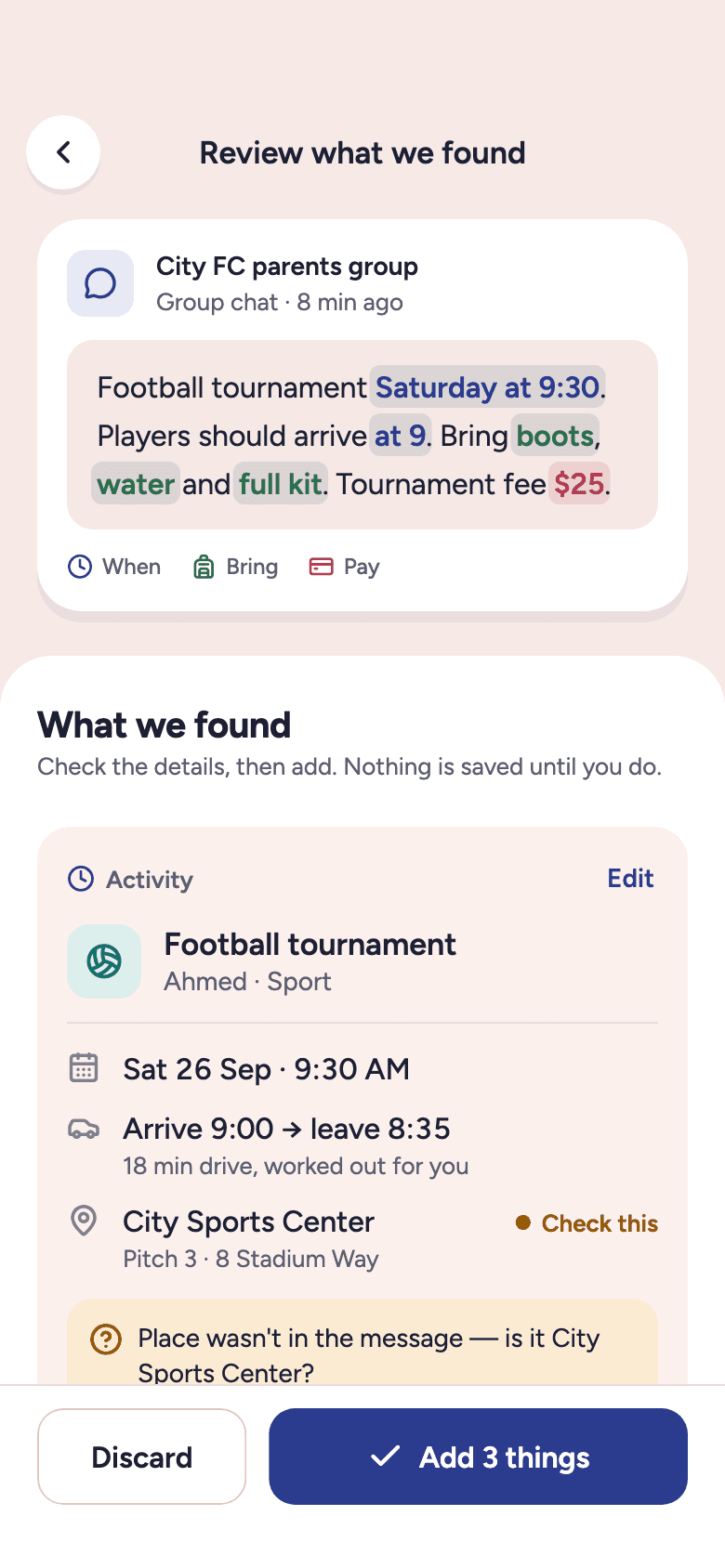
Your family gets its own Owl email address. Set your email to forward school and club emails there, and Owl reads each one as it arrives. For a group chat, paste the message or send a screenshot. Owl finds the dates, what to bring and what to pay, shows you what it found, and adds nothing until you say so.
City FC parents group
Group chat · 8 min ago
Football tournament Saturday at 9:30. Players should arrive at 9. Bring boots, water and full kit. Tournament fee $25.
Coach Daniel · 8:12 AM
We found
When
Saturday 26 Sep · 9:30 AMArrive
9:00 AMBring
BootsWaterFull kitPayment
$25DueFor
Ahmed
You check everything before it's saved.
Activities
Every activity carries what to bring, what to pay, where it is and when to leave, so the reminder arrives with the answer.
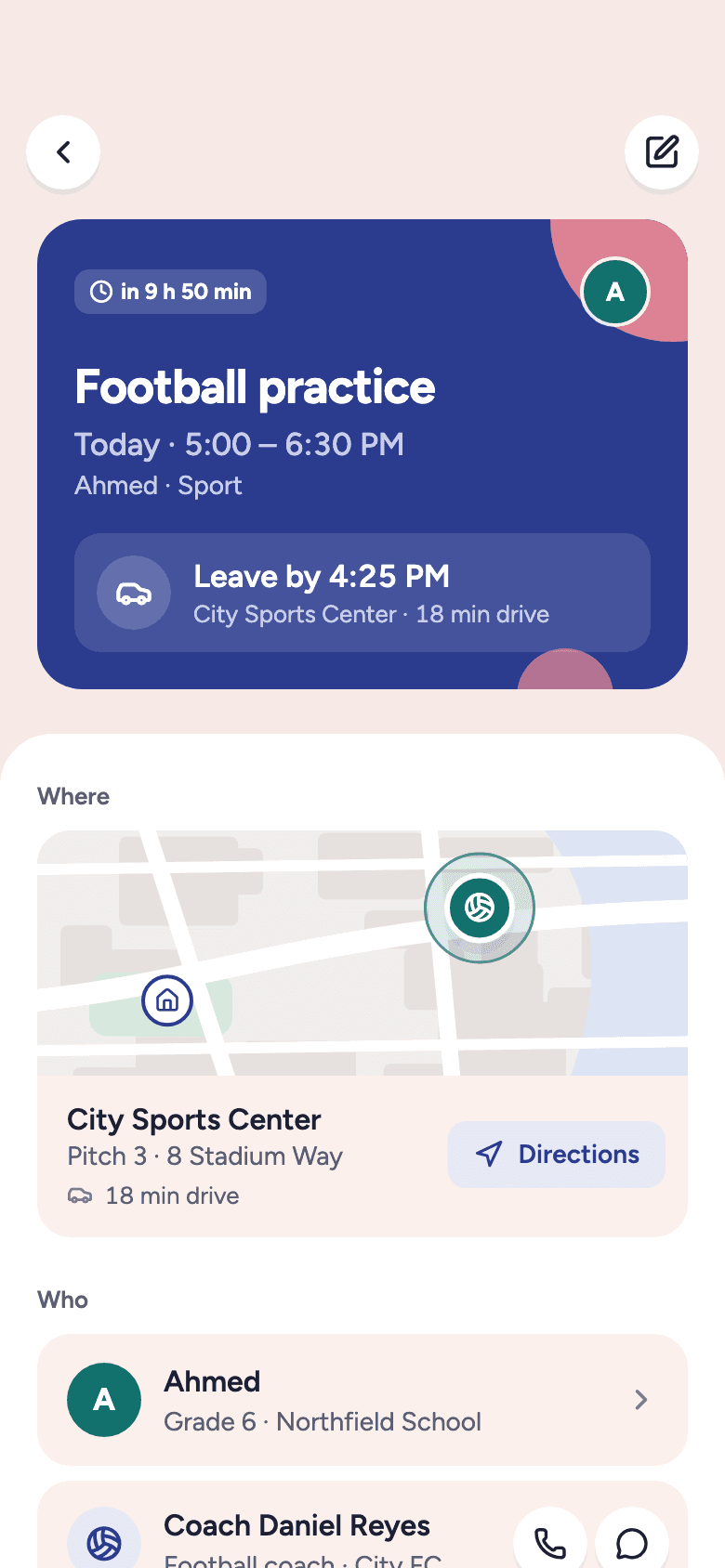
Football practice
Ahmed · Today
5:00PM
Bring
$40 · September fee
City FC
Leave by
4:25PM
For a 5:00 PM start
City Sports Centre
Pitch 3 · 18 min drive
Tomorrow
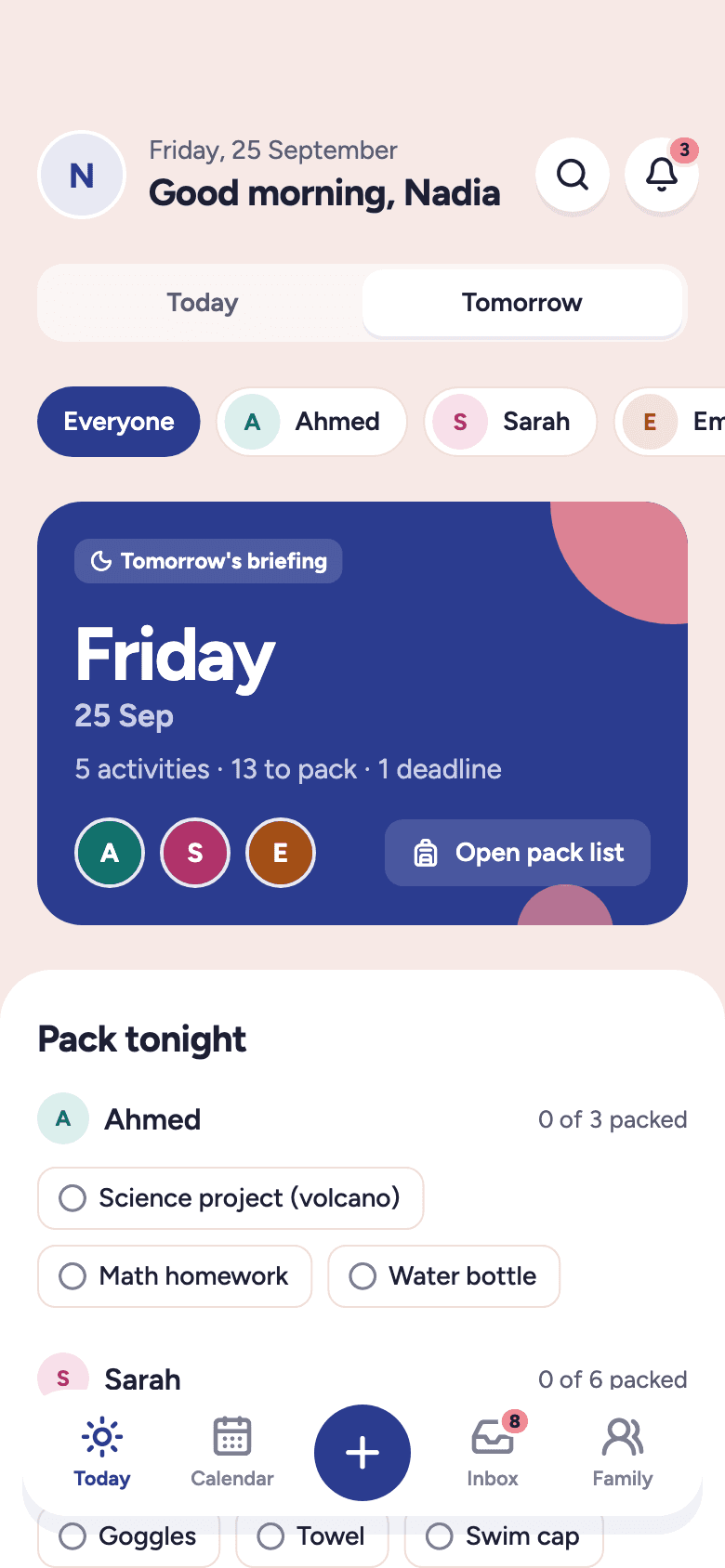
Every evening Owl gathers what tomorrow needs from the calendar, chores, school and payments, and lays it out before you've thought to ask.
Tomorrow · Friday
25 Sep0 activities
0 things to bring
0 payment
0 chores
0 school deadline
Pack tonight
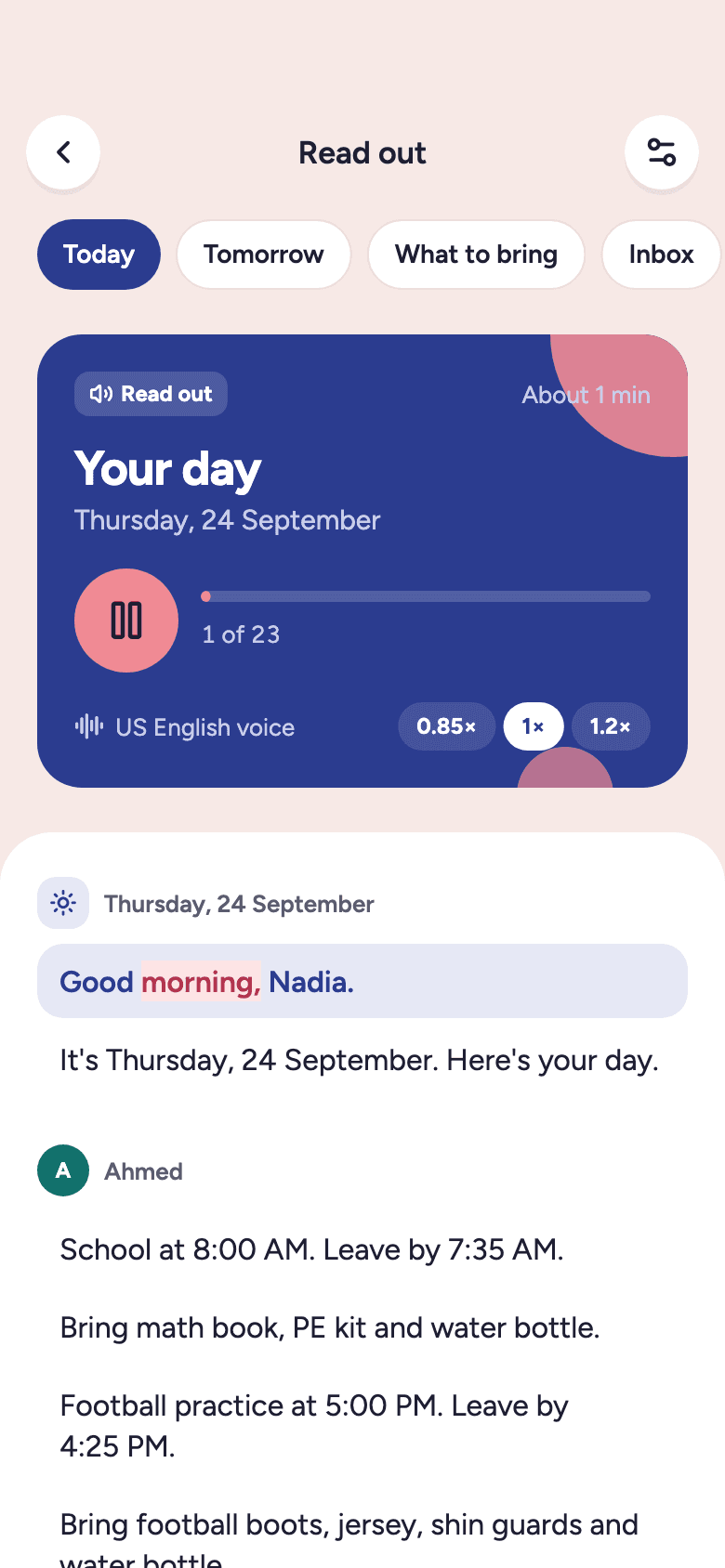
Family briefing
At 8 PM, one calm summary: who needs what, who leaves when, what to pack tonight. Read it, or say “Hey Owl, what's on tomorrow?” and hear it.
Thursday · 8:00 PM
Ahmed · Football at 5 PM · bring boots
Sarah · School trip · bring lunch, signed form
Emma · Ballet 3:30 PM
Payment · $40 football fee due
Chores · 4 left
Read out · about 1 min
Every child
Ahmed's football, Sarah's piano, Emma's ballet. Each child has one calm space with everything that's theirs.
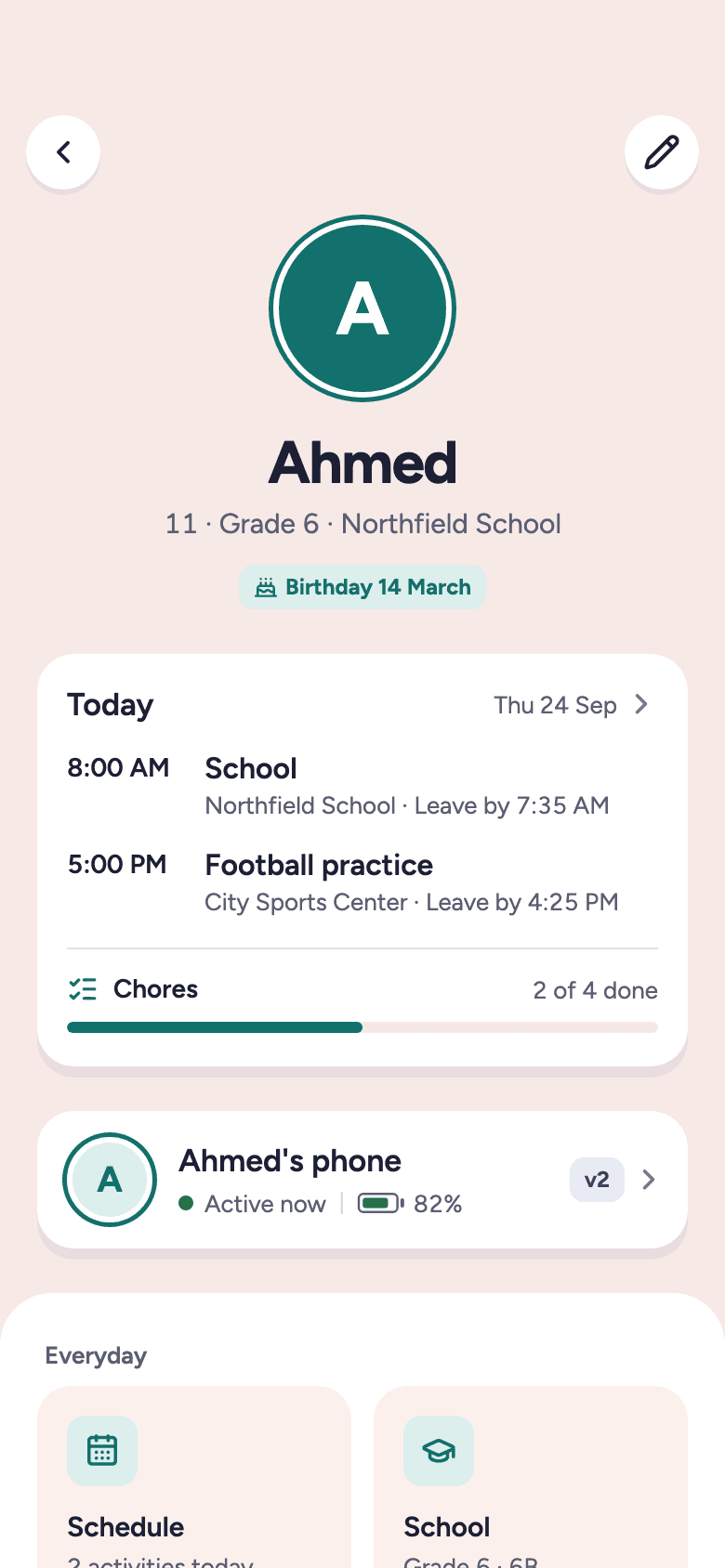
Activities: Football, Tue & Thu · what to bring and what to pay
Chores and rewards
Assign a chore in a sentence, set the points, and let each child tick it off on their own screen. Owl checks it with you and keeps the score.
Ahmed · today
Thursday · 35 points to earn
- Clean bedroom15 pts
- Feed Luna5 pts
- Math homework10 pts
- Pack football bag5 pts
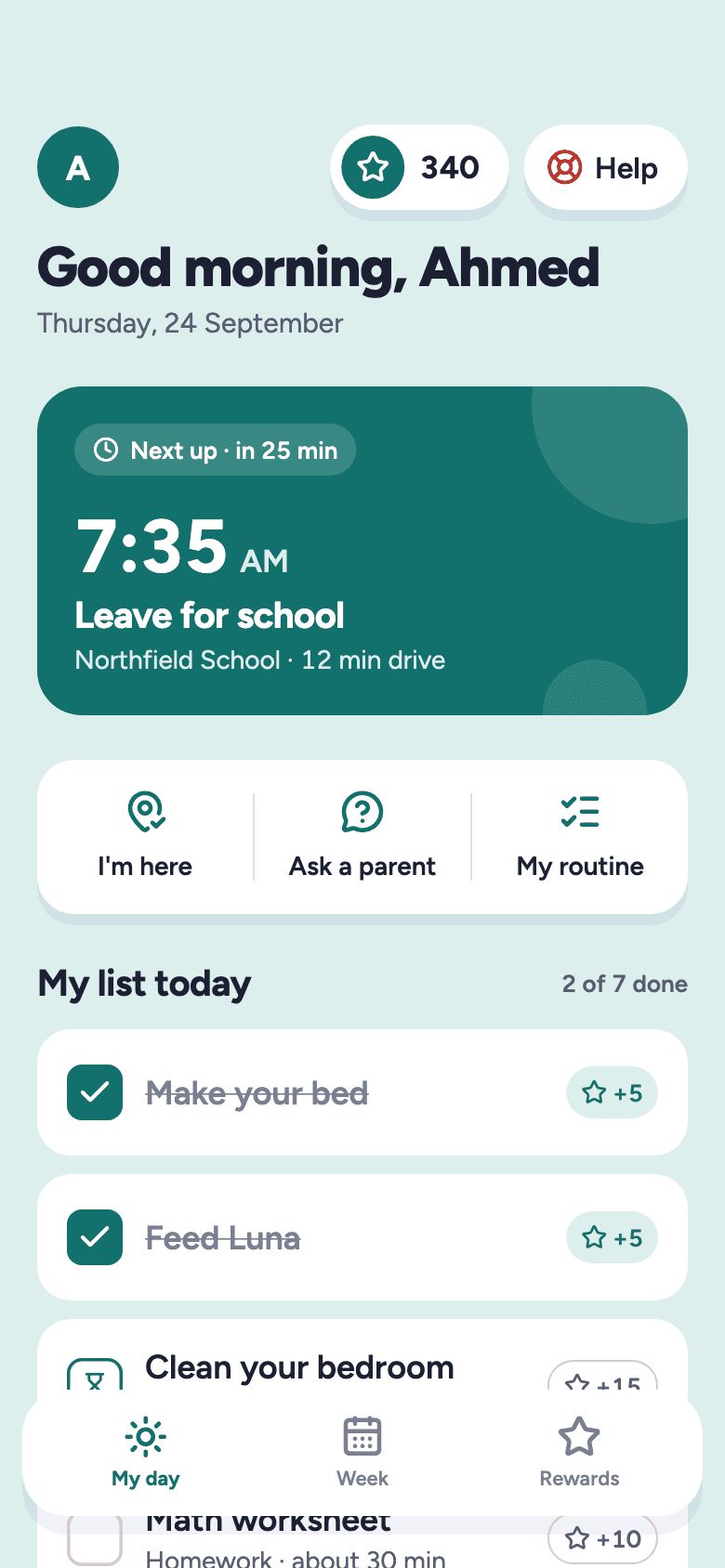
What Ahmed sees
Bedtime
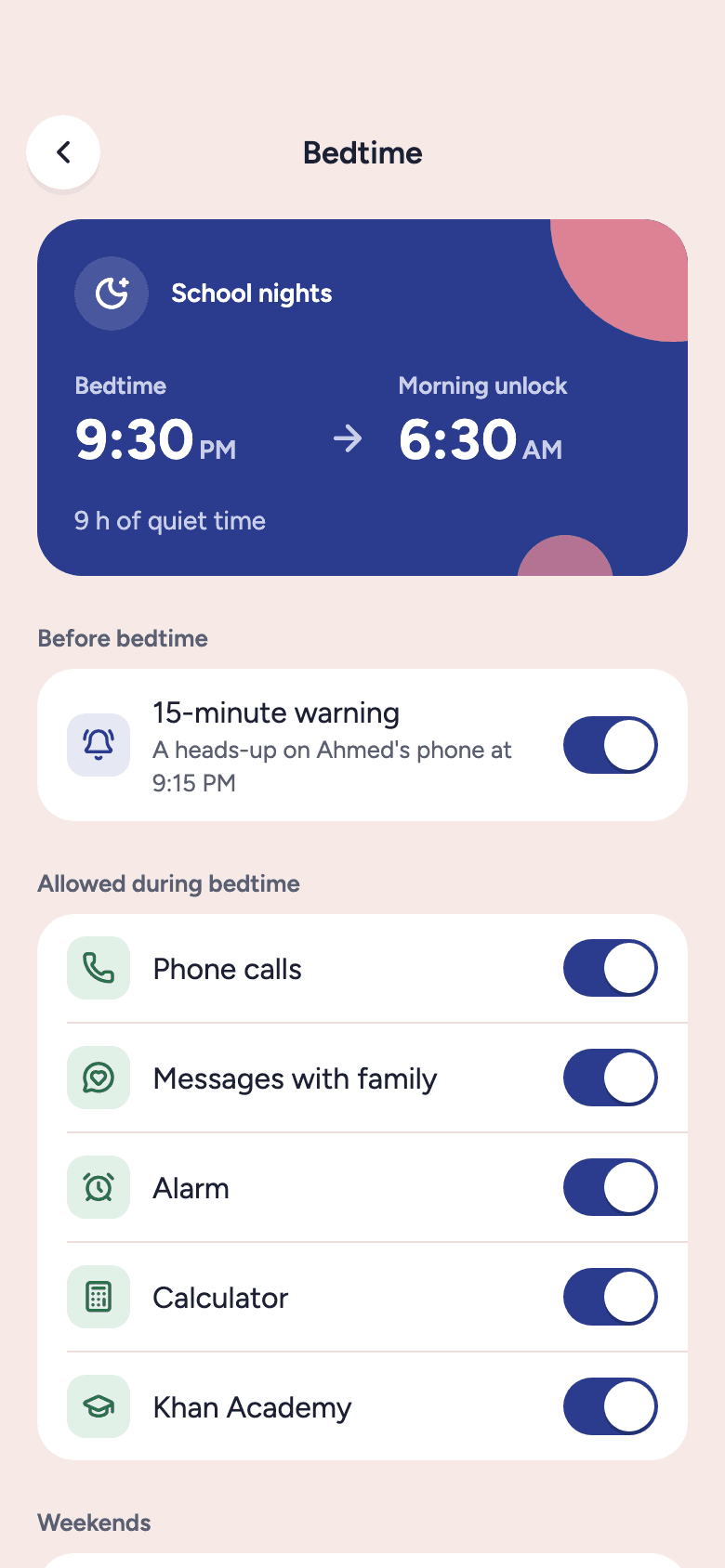
A routine each child can follow, step by step, ending in bedtime mode on their device.
- 8:30 PM
Pack school bag
Tomorrow's kit, by the door
- 8:40 PM
Brush teeth
- 8:50 PM
Read
Twenty minutes, any book
- 9:15 PM
Wind down
A 15-minute warning on Ahmed's phone
- 9:30 PM
Bedtime mode
Quiet until 6:30 AM. Calls and family messages still work.
Location and safety
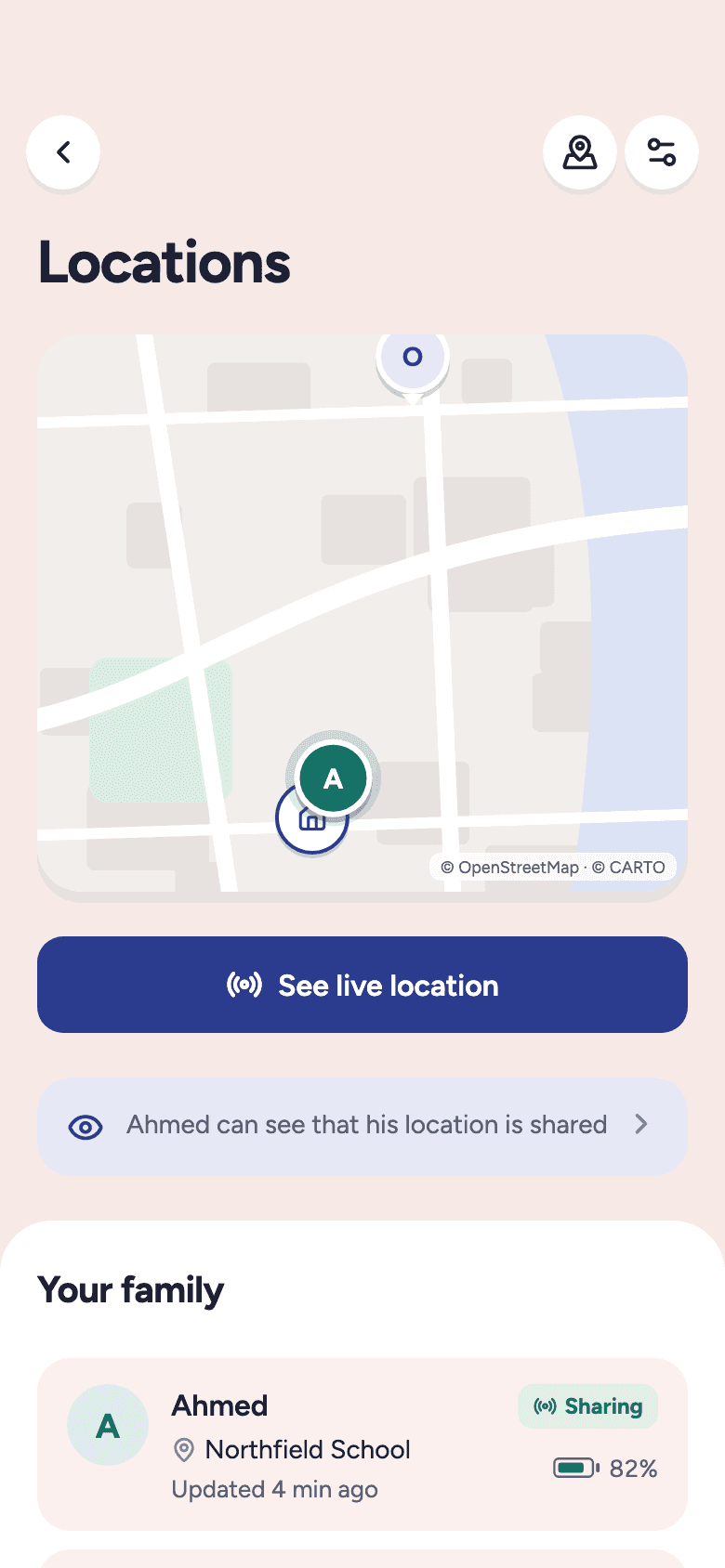
Places your family goes, a check-in when someone arrives, and a help button that reaches the right adults. Children always see exactly what their family can see.
Safe zones
Home, school, the pitch: places you name, drawn as soft circles.
Check-ins
A tap from a child that says I'm here.
Arrival and departure notes
A quiet note when someone gets there, and when they leave.
Trusted contacts
The help button reaches the adults you choose.
Digital life
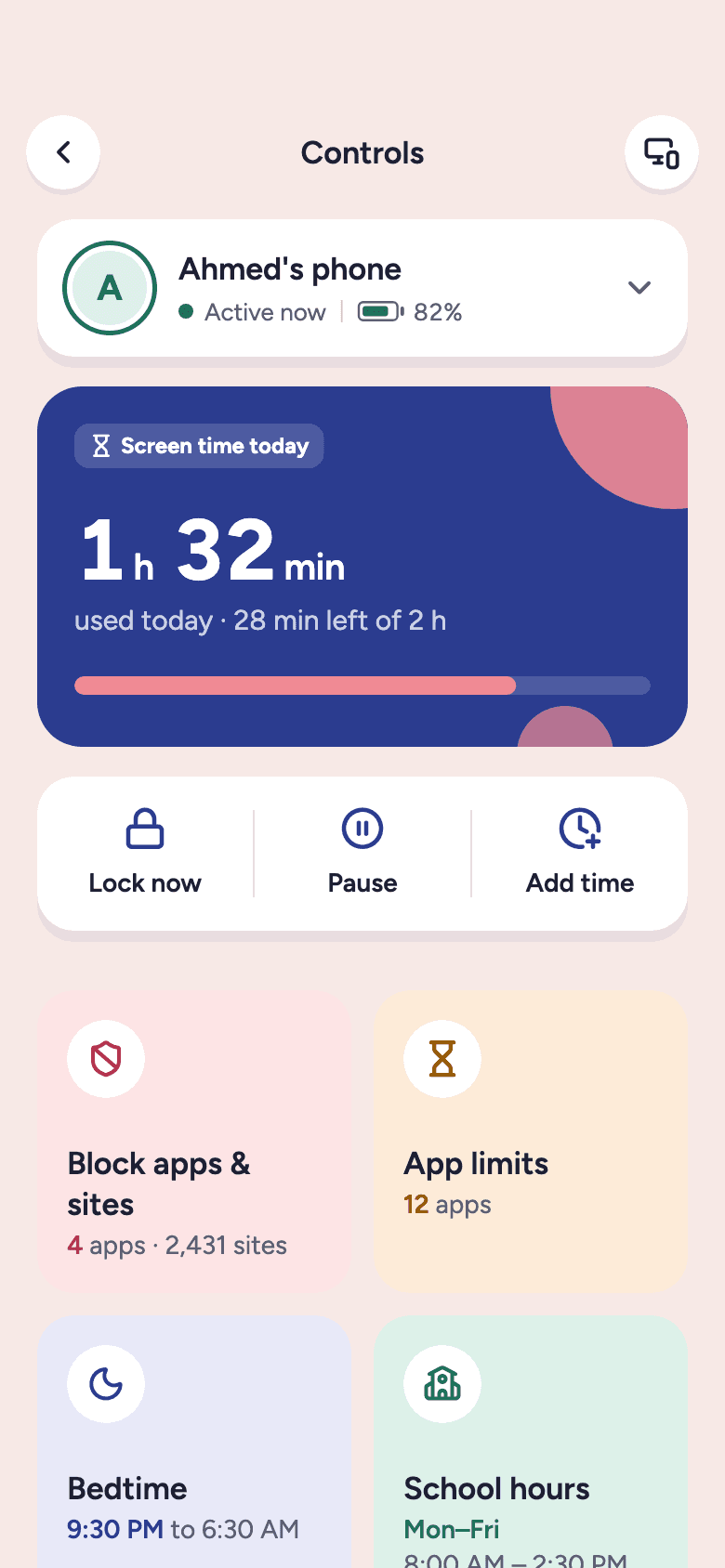
Screen time, app limits, school mode and bedtime live next to the rest of the day, so the rules feel like routines, not surveillance.
- Limits the whole family can see
- Homework focus and school mode by schedule
- Kids ask for more time; parents decide in one tap
Ahmed's phone
Thursday
2 h 14 min
of 3 h today
- Gaming45 min
- Video30 min
- Messages18 min
School mode
Active · until 2:30 PM
Bedtime
School nights
Ahmed asks for 30 more minutes
Just now
One family. One system.
Plan, do, remember, pay, routine, control and safety aren't seven apps. They're one family, seen whole.
Why Owl
Most families stitch together a calendar, a chore app, parental controls and a group chat, and still keep half of it in their heads. Here's what each kind of app usually covers.
Compare Owl with
Compared with what each kind of app typically offers. Individual apps differ, and features change over time.
Privacy
Owl holds your children's days, so it's built to hold them carefully.
Family-controlled data
Your family's information belongs to your family. Export or delete it any time.
Permission-based sharing
Every adult you invite sees only the children and details you choose.
Nothing hidden from children
A child can always see what their family can see about them.
Secure sign-in
Email codes, Apple, Google or a strong password, two-step sign-in with an app or a passkey, Face ID, and a parent PIN for Kids mode.
Parent-managed access
Access for a babysitter can end on a date. Sign out of any device.
Voice stays private
Your phone's own speech recognition turns speech into text. Owl never receives a recording.
We built it to be the opposite. Keep the school app and the group chats. Forward school and club emails to your family's own Owl address, and Owl reads each one when it arrives. For a group chat message, paste it or share it to Owl. Owl pulls out the dates, what to bring and what to pay, and every evening it tells you what tomorrow needs. So you look in one place instead of all of them.
No. A calendar tells you when. Owl also tells you what each child needs to bring, when to leave, what's due to pay, which chores are left and what to pack tonight, then briefs you every evening.
Forward an email to your family's Owl address, or paste or share a message from any app. Owl finds the dates, times, things to bring and fees, and shows you exactly what it found. Nothing is added until you tap Add.
Yes. Invite a partner, grandparent or babysitter with a link you send from your own phone. You choose which children each person sees and what they can do, and access can end on a date.
No. Owl works for parents on its own. Children who have a phone or tablet can use Kids mode to see their day, tick chores and earn rewards. Screen time and location need the Owl app on the child's device.
Nothing happens in secret. When a family shares location, the child sees exactly what their family can see, and parents get arrivals and check-ins rather than a trail. It can be switched off at any time.
Get started
One place for the schedules, tasks, routines and reminders that keep your family moving. Join early access and be one of the first families in.
No card needed · Unsubscribe any time
We'll email you once to confirm, then when Owl opens. Nothing else. Privacy notice